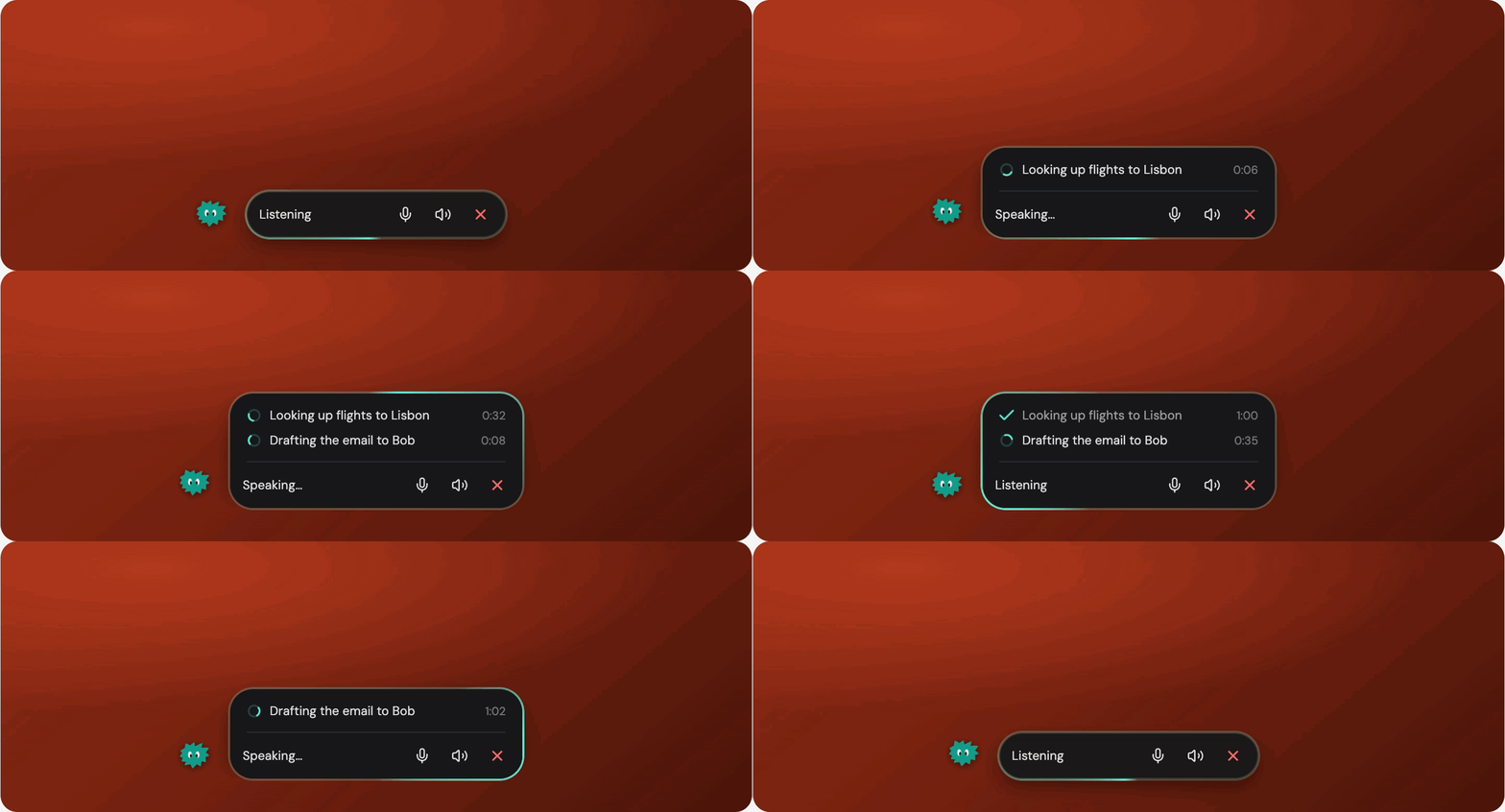
Working with AI agents still means explaining what we want through prompts, screenshots, and annotations. But our taste and judgment show up in how we work and the decisions we make along the way.
What if agents could pick up more of that context by:
- Hearing our reasoning as we talk through decisions (voice)
- Seeing what we’re referring to on screen (screensharing)
- Staying aware of our work at any time (continuous awareness)
That was the idea behind Ambient, a new product surface we launched a few weeks ago. It’s our macOS companion at Vellum: a floating bar with voice, screen sharing, and the ability to draw directly on your screen.
Here’s how our GTM shaped what we built, how we launched and distributed it, and what the early data is teaching us about adoption and engagement.
Why this experiment
Our hypothesis was that giving people more ways to share context would make agents more competent and help them feel like true collaborators.
And we already see an interesting signal in voice. My teammate Alex Nork found that the median voice conversation has 5 user turns, compared to 3 for text. More interestingly, only 8% of voice conversations end after one message.
For growth, that’s an interesting signal. More turns suggest deeper engagement, which could translate into better retention.
Of course, this doesn’t prove that voice is the reason. Maybe people who use voice simply have more to say. So we treated Ambient as a test: can voice make it easier to share our taste and judgment, and can screen sharing and annotation deepen that collaboration?
How we specced the product
We built Ambient around four everyday interactions. Each gives people a different way to share what they need, right where they’re working:
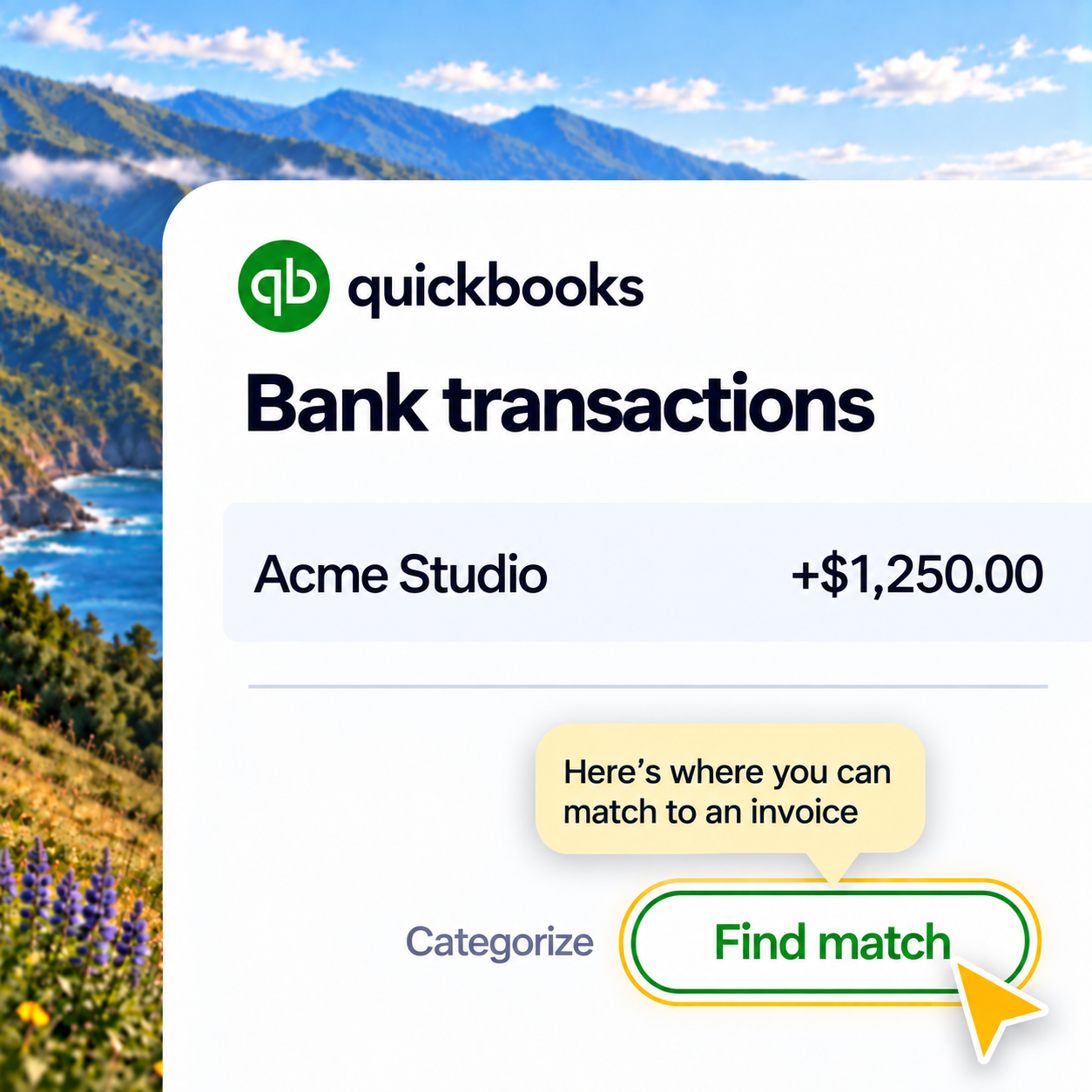
Imagine you’re in QuickBooks trying to match a bank transaction to an invoice. Ambient sees the screen you share and shows you exactly where to click, right in your app. You can work through unfamiliar software with guidance grounded in what’s in front of you.
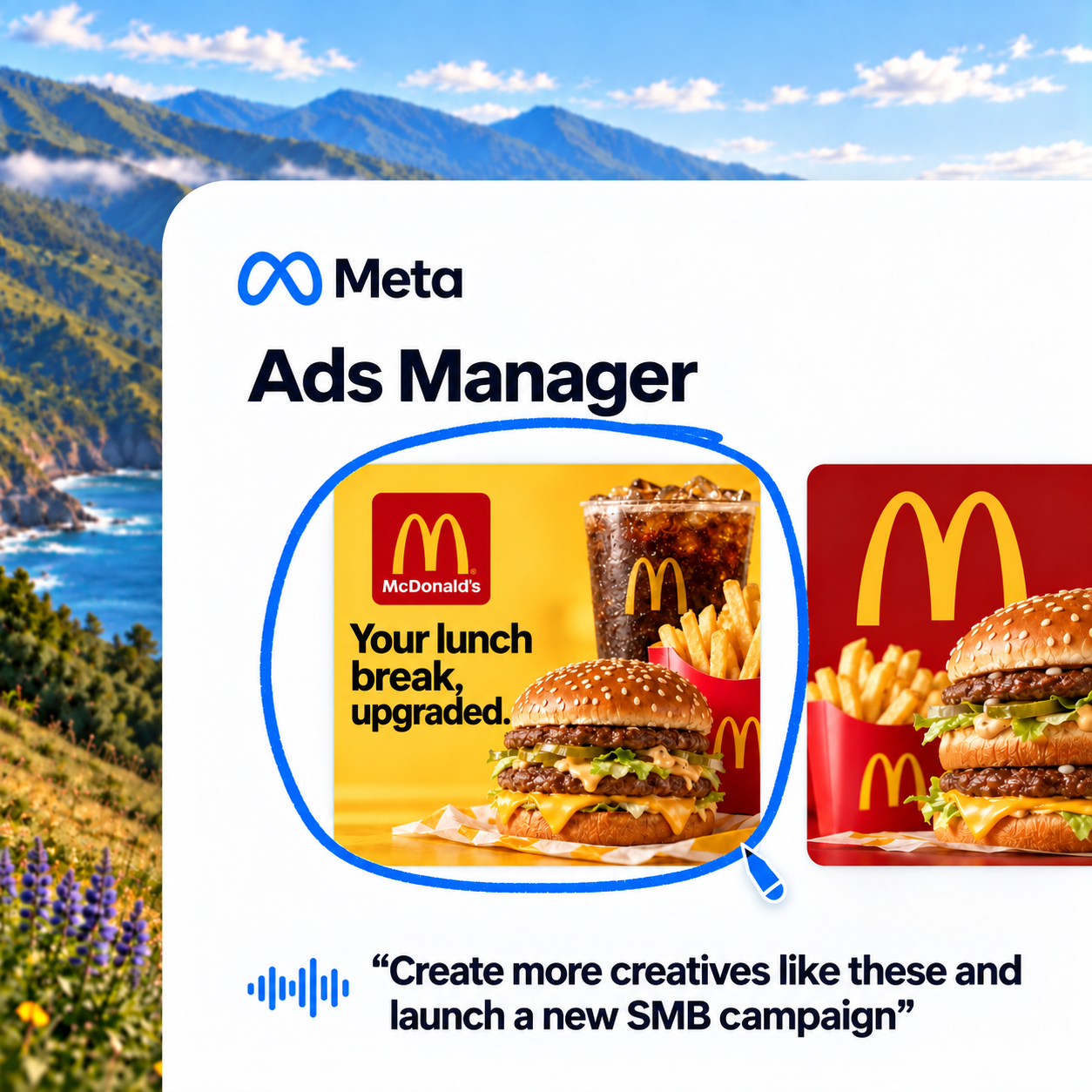
Imagine you’re reviewing ad creatives in Meta Ads Manager. You circle the ones you like and say, “Create more like these and launch a new SMB campaign.” Ambient captures your voice alongside your on-screen annotations, connecting what you say to the specific creatives you mark.
Imagine you’re in the middle of something when you remember a task. Double-tap Fn, tell Ambient what you need, and carry on with your work while it handles the task in the background.
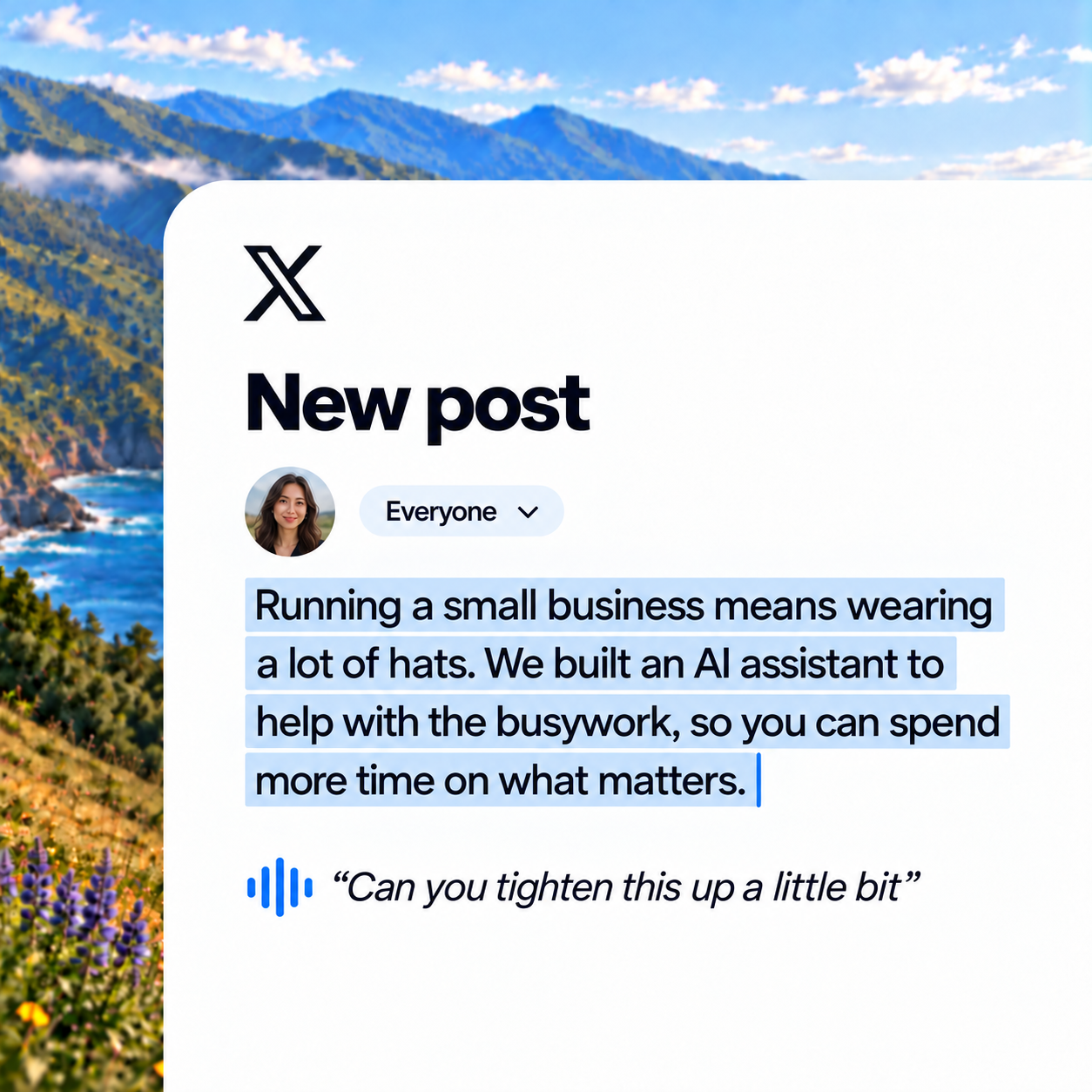
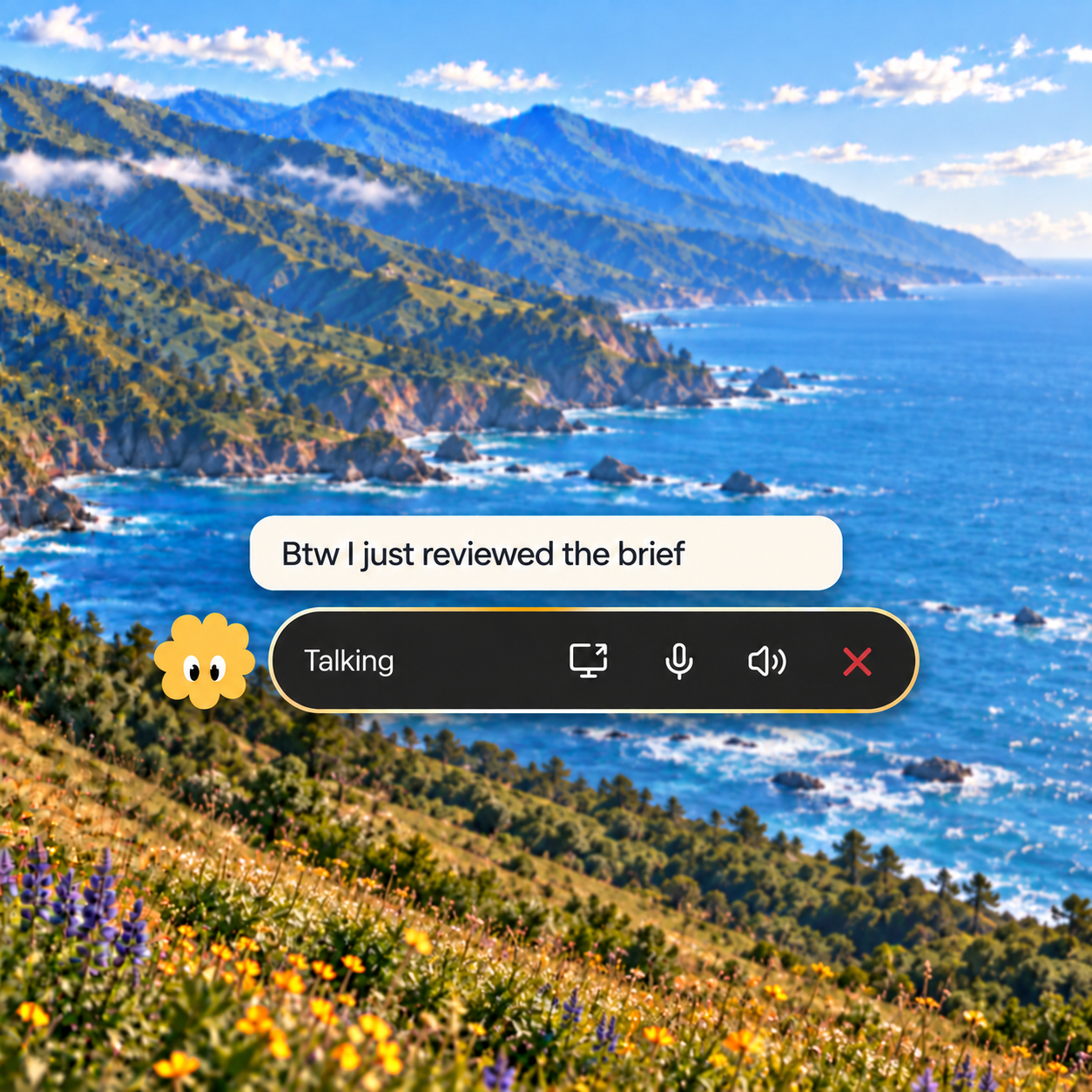
Imagine you’re drafting a post on X. Select a paragraph, hold Fn, and say, “Can you tighten this up a little bit?” Ambient edits the text right where you’re writing. Your selection gives it the context for your request.
With these four user stories, we had our product and distribution work cut out for us. We needed to make sure each worked end to end and show them in action on launch day.
Our launch strategy
For our launch, we focused on three things: finding the right audience to target, positioning Ambient around collaboration rather than execution, and driving meaningful adoption by showcasing how to use the new product.
| Focus | Our approach |
|---|---|
| Audience | Small business owners working across tools that agents can’t easily access, like QuickBooks, legacy software, and local files. Screen awareness lets Ambient work where integrations fall short. |
| Adoption & activation | Help users understand when to use Ambient and how to start. We wanted users’ first Ambient session to involve a task where their judgment matters, like reviewing ads, editing designs, or learning unfamiliar software. |
| Positioning | Messaging should focus on how agents learn human judgment through voice, visual context, and continuous feedback, rather than competing on execution capabilities. |
| Design partners | Recruit AI-forward founders and operators to test real tasks, record Looms, and share feedback. Use those insights to improve activation and the demos for launch. |
| Creator distribution | Work with creators to show Ambient in action, amplify the launch, and reach more potential users at the top of the funnel. |
Testing and polish
We tested the new companion surface with five design partners, and that exercise exposed two gaps. For new users, we were losing them before they could try Ambient: it wasn’t easy to discover, and getting started wasn’t clear. For existing users, we needed to introduce Ambient within their usual workflow and show when it would be useful.
As a result, we added an onboarding tour to help users find Ambient, set up voice and screen sharing, and get started with their first task:
Final product
Here’s a quick video of me using Ambient to edit our launch video in the browser, talking through changes and figuring out unfamiliar software together with the agent:
Early results
For this launch, we cared about whether our positioning encouraged more new and existing users to use Ambient weekly, and whether Ambient led to deeper conversations with more back-and-forth than text.
Some early results from just 1 week after launch, and ambient appears to support deeper conversations once people try it. Adoption is still the bigger opportunity, and we’ll have better understanding in the coming weeks.
Here’s a more detailed breakdown
1/ Activation: Do people keep the conversation going?
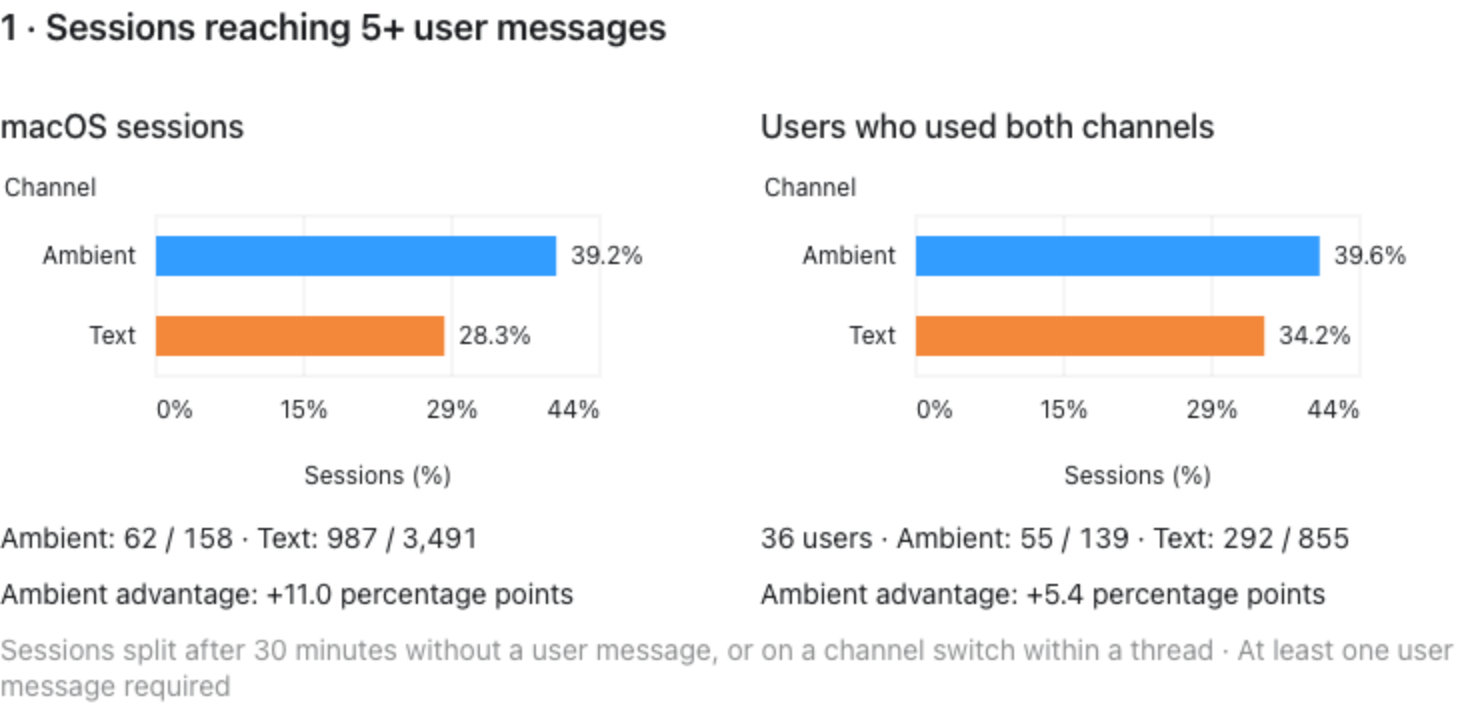
During the same period, about 39% of Ambient sessions reached five or more user messages, compared with 28% of text sessions.
For the 36 people who tried both, 40% of their Ambient conversations reached five or more messages, compared with 34% of their text conversations. They still had about six times more text sessions, suggesting deeper engagement per Ambient session, while text was used more often.
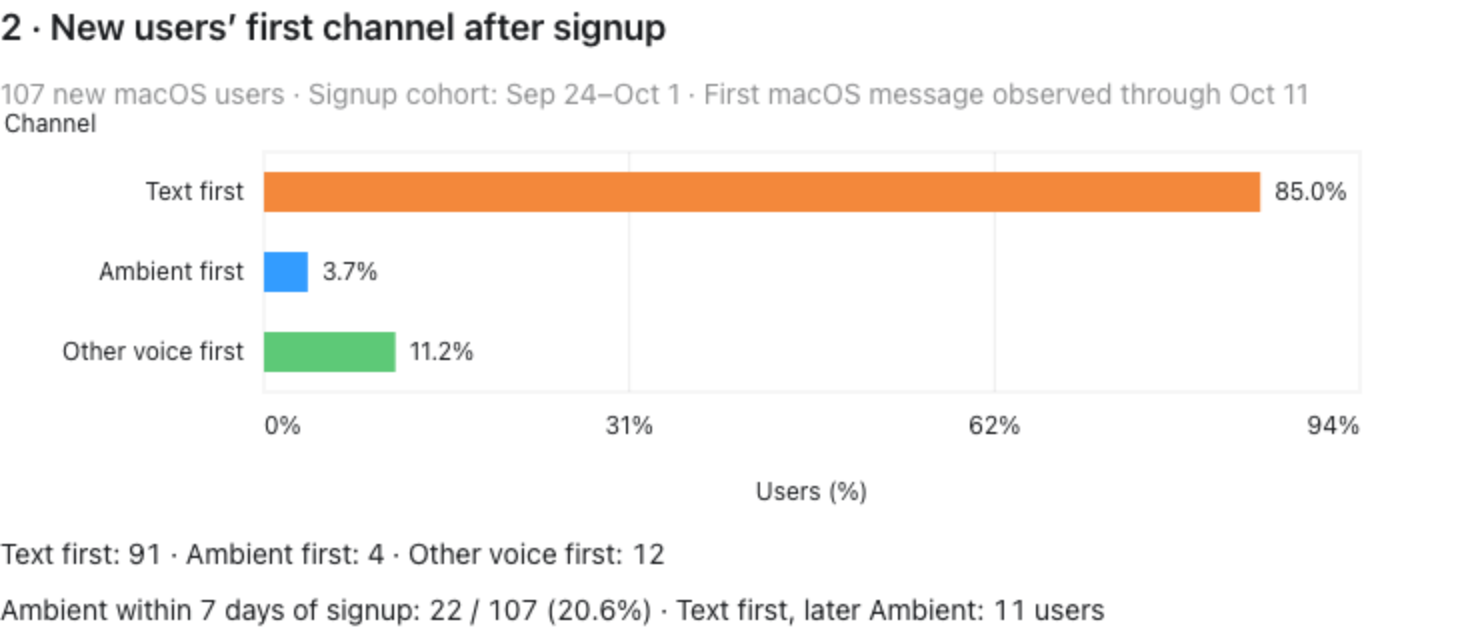
2/ New users: Do they choose Ambient first?
Only 4 of 107 new macOS users started with Ambient (3.7%), while 91 started with text (85%). But 22 used Ambient within seven days of signup (20.6%). Eleven started with text and later tried Ambient. People are exploring it, but it is rarely their first choice.
This suggest that we’ll need to test the new onboarding tour and test different messaging to get people to use this feature a bit more.
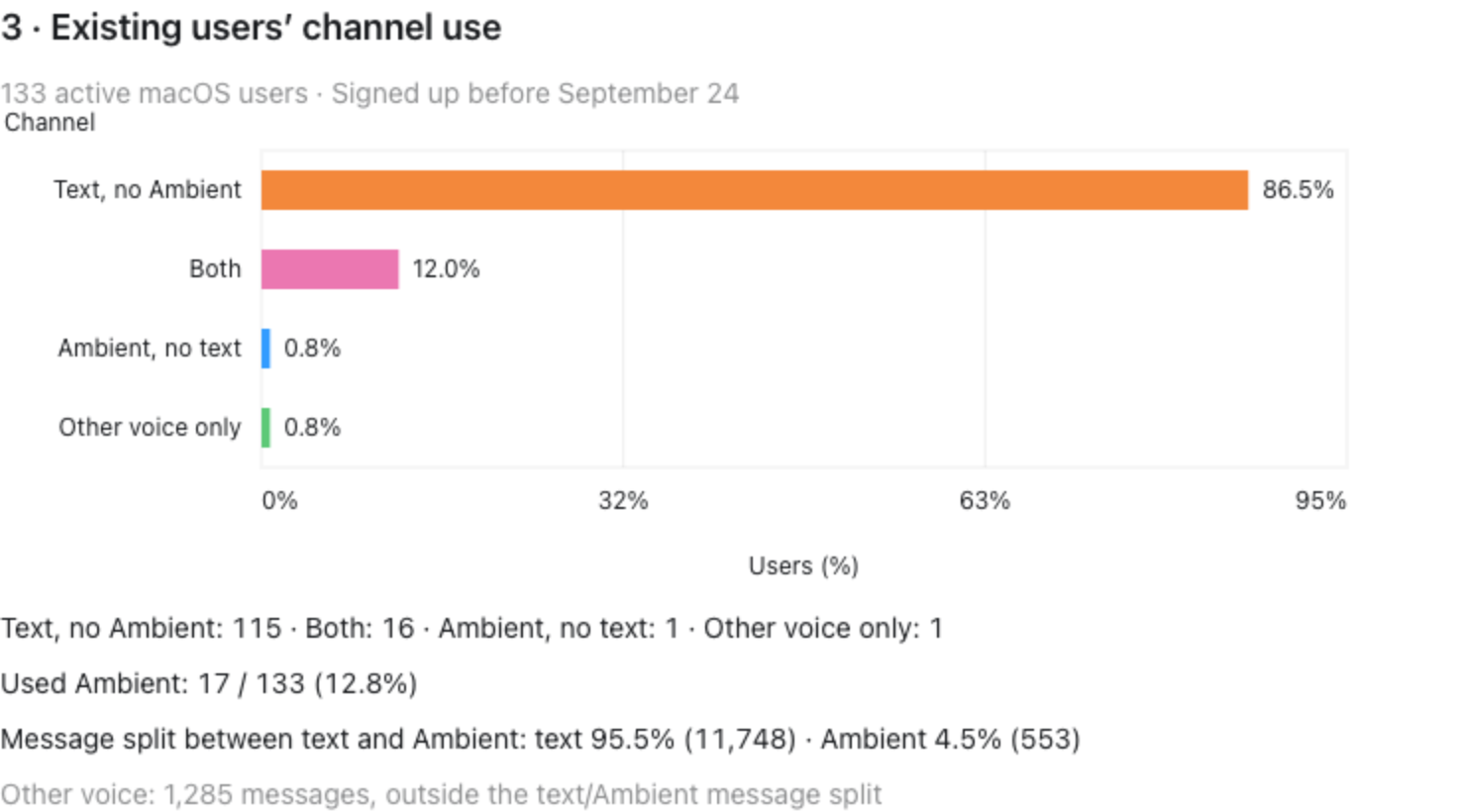
3/ Existing users: Is Ambient becoming part of their workflow?
17 of 133 existing active macOS users used Ambient (12.8%). Almost all of them also used text: 16 used both, and only one used Ambient without text. Of their text and Ambient messages, 95.5% were text and 4.5% were Ambient. It is an additional way to work, but text still dominates usage.
The engagement signal is promising. The next challenge is helping more people discover Ambient, understand when to use it, and build a habit around it.
Future work and GTM-ownership
Ambient was a big product push, but the work after launch is becoming easier for our GTM team to own. With coding agents and assistants that can query our database and help us interpret usage, we can spot where adoption stalls, define KPIs for different goals in the app, and build experiments around those findings.
That gives us a shorter path from a question to an experiment: who tries the feature, who comes back, and what helps them get more value? We can spend more of our time improving adoption and engagement, with data guiding what we try next.
Couple of things we’re exploring on improving adoption for this feature:
- Existing users will need to change their habits in vellum. So we want to introduce this feature at a relevant moment - perhaps when they share a screenshot in chat.
- We’ll probably separate the data we measure between new vs existing users, to identify where each gets stuck.