Last month, our team officially churned off Webflow. The whole vellum website now runs on Next.js, Sanity, and Postgres. Our marketing team ships content within minutes using SKILL.md files and their AI assistants and coding agents.
We saved $30K a year on the Webflow bill alone, but that’s not even the outcome we optimized for. In fact, I’m looking forward to spending 3x more than that while increasing our output tenfold. In the AI era, we need to enable our website to become a content machine. We needed to break the old ways of working and introduce new, agentic ways of working.
This is the post I wish I’d had six months ago when I was staring at our Webflow setup wondering if a migration was even feasible. So here’s the full story: what was broken, why we did it now, the stack we chose, what we got wrong, and the real bottleneck nobody talks about.
Why Webflow stopped working for us
When you’re a five-person marketing team at a fast-moving startup, the website is supposed to be your fastest experimentation surface. Webflow enabled that for a while, but lately it slowed us down.
A few specific things kept ruining that experience for us:
- Shipping new product pages took days or weeks.
- Programmatic SEO was becoming painful to manage.
- We hit Webflow’s ceiling on animations and interactions.
- Engineers couldn’t easily contribute.
- The website was disconnected from the product, and it became harder to run PLG experiments.
- Webflow was getting more expensive, slower, and buggier.
Unfortunately for me, a product that opened so many doors and enabled my work as a technical growth person had become the biggest bottleneck. So here’s what we did.
Why now
Six months ago, doing this with engineers would have been a three-month project. Today, with Claude Code, Devin, v0, or even Lovable, especially when paired with a real codebase and proper infrastructure, a marketer can do most of the work.
If you’re a growth leader on a Webflow stack right now, the timing is good. If you want your website to be a content machine, you can get there with a few small tradeoffs, and pretty fast.
Our new website stack
We tried a few different coding agents and vibe-coding tools, and with a bit of cost versus performance analysis, we landed on this stack:
- Claude Code + Vellum for the migration itself. Claude Code did the heavy lifting on transferring really weird Webflow code into a new repo. With vellum, we built the relevant skills and connectors to the new database and CMS so we could streamline adding new content.
- Sanity as our headless CMS. We evaluated Contentful, Strapi, and Payload. Sanity won on developer experience, the Studio editing UX for non-engineers, and how well it played with a Next.js frontend. Plus, huge word of mouth :)
- Next.js for the web app. Boring, battle-tested, and the AI tools know it cold.
- PostgreSQL as our database for anything we wanted to persist server-side.
Content migration into Sanity
I worked on this project together with our CTO, Noa, and surprisingly for both of us, we were able to transfer all of our content to Sanity in a single weekend. We had hundreds of pages, and yet the coding agents did a fascinating job of transferring everything.
Pretty smooth experience!
Code migration from Webflow
If you’re the marketer leading a Webflow to headless migration, your job is to notice the invisible things. Webflow handles most of your site’s core components automatically, so until now, you never had to think about them. After the migration, they’re your problem.
Here’s the checklist we ran through, with what we did for each:
- robots.txt. Webflow generates this for you. In Next.js, you write it yourself or use a route handler. We wrote ours by hand to control crawler access page by page.
- Sitemap generation. Same story. We built a dynamic sitemap that pulls from Sanity at build time so every new page is automatically included.
- 301 redirects. This is the big one. Every URL you change is an SEO hit if you don’t redirect it. We exported every URL from Webflow, mapped it to its new home, and configured redirects in Next.js. Skipping this will tank your rankings.
- Metadata and Open Graph tags. Webflow auto-generates these. We had to define our meta strategy as fields in Sanity and render them in Next.js layouts. We caught a few pages mid-migration where OG images were broken in social shares.
- CDN and image optimization. Next.js has its own image component, but you have to actually use it. We migrated to
next/imageeverywhere and configured remote patterns for Sanity’s image CDN. - Canonical URLs. Easy to forget, painful when wrong. We set explicit canonicals on every page template.
- Schema markup. We rebuilt JSON-LD for articles, products, and FAQ pages from scratch, then validated it with Google’s Rich Results Test before launching.
- Analytics and tracking events. Every event tag on the old site had to be reimplemented. We took the opportunity to clean up dead tags.
- Form handling. Webflow forms are free. Now you need a backend. We routed forms through a Next.js API route into our existing CRM.
- Staging and preview environments. Webflow has staging built in. We set up Vercel preview deployments tied to PRs.
- Preserving old URL paths. Where we could keep URLs identical, we did. Where we couldn’t, see 301 redirects above.
I used Claude Code to walk through each of these. It would read the relevant part of the codebase, tell me what was missing, and write the fix.
Quick note: the first week after launch is the critical one. You need to watch for anything you missed, and I promise you’ll miss something. But don’t stress! Google won’t punish you if you fix it quickly, so there’s still time to clean things up after you migrate.
How we ship now
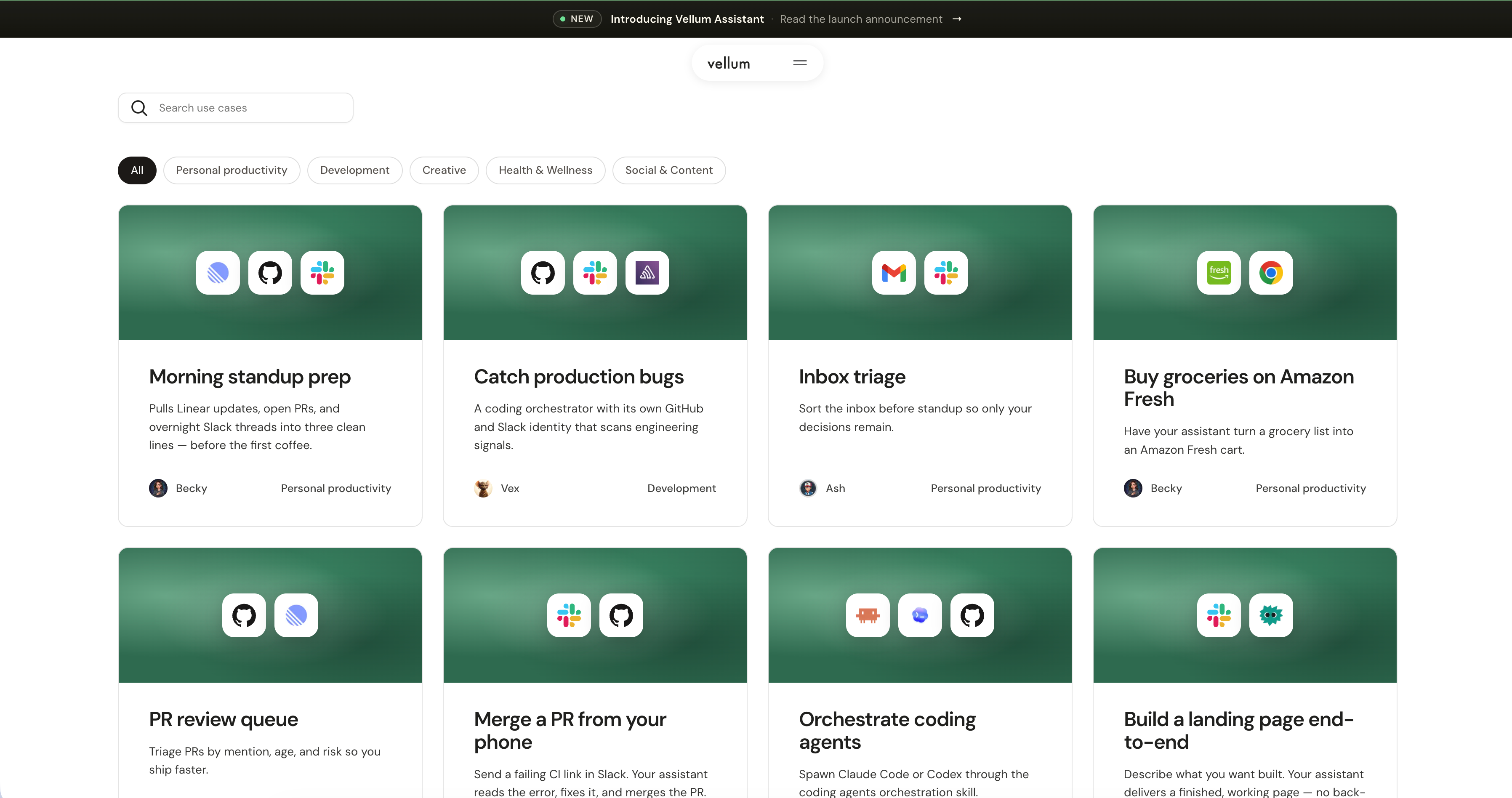
Once we were live, we needed to educate everyone on the team on how to push content to the new setup.
Two things made this work:
- AGENT.md files in the repo. Every directory that a marketer might touch has an AGENT.md that tells coding agents about our conventions, our preferred patterns, what to avoid, and where to look for similar examples. This is the difference between an agent that ships pages that look like ours and an agent that ships pages that look like everyone else’s.
- Every marketer has their own vellum assistant connected to Sanity. Their assistants know our content patterns, our brand voice, and our taxonomy. When a marketer says, “draft me a showcase page for X,” the assistant pulls the right templates, suggests the right copy, and can open a PR.
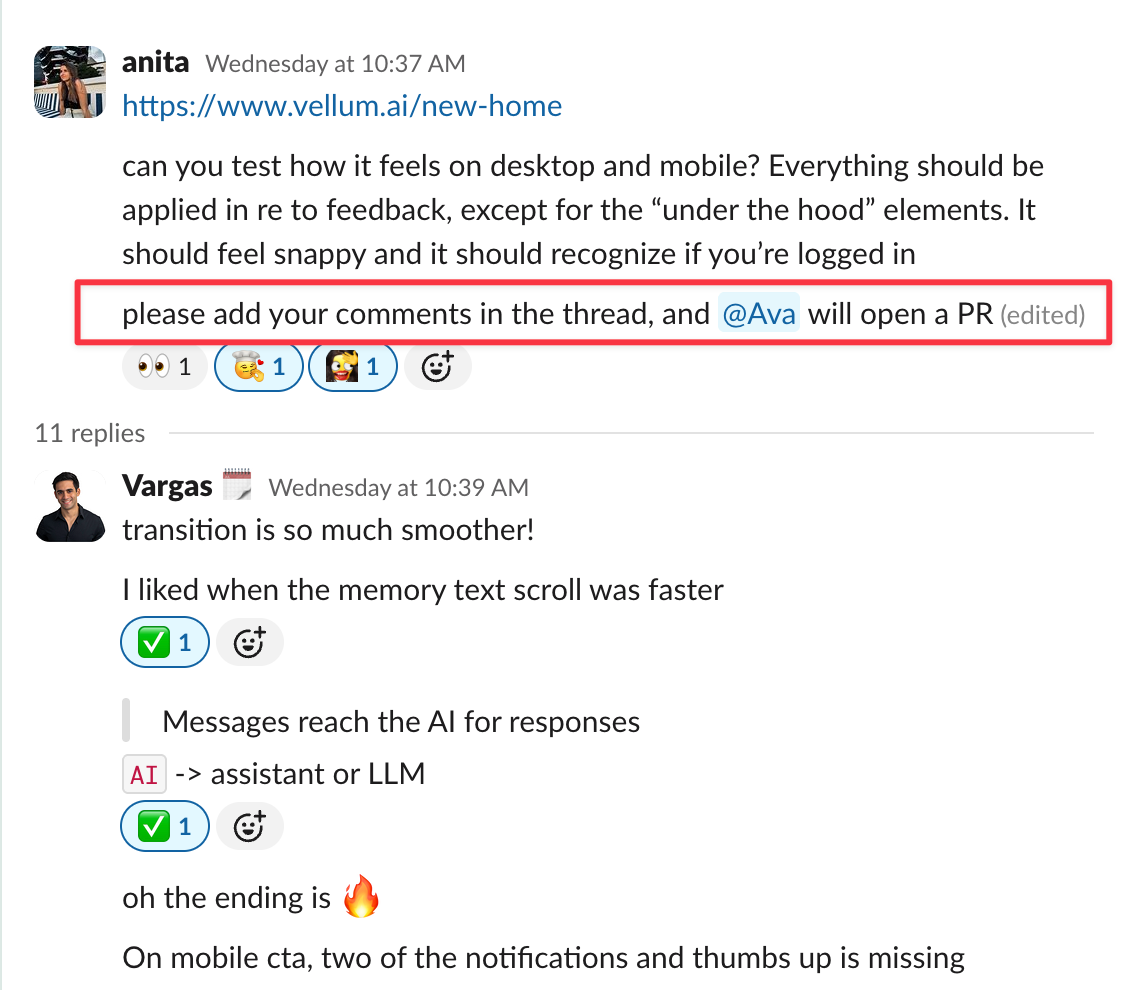
GTM team members who write copy can vibe-code experiment pages. Engineers can jump directly into website updates without context-switching, which means we’re shipping PLG improvements almost daily.
And because the website and the product share infrastructure now, we can do things we couldn’t before. Our main homepage CTA is fully dynamic: it knows the name of your vellum assistant when you’re logged in and personalizes the call to action accordingly.

What was the biggest tradeoff
Here are some things that you should be mindful of if you prioritize a migration:
- Transferring your data is the easy part, but matching your exact Webflow design will be trickier. Bet on the models in three to six months from now being 10x better at web design.
- Make sure everyone on the team is equipped with the right mindset, knowledge, and
SKILL.mdfiles to enable their work. Organize hands-on sessions to onboard anyone who’s still blocked.
That’s all, thank you for reading :)